Vector vs Raster Graphics: Which Format Do You Need?
Choosing the right graphic format is crucial for any design project. Understanding vector vs raster graphics will save you time and ensure professional results. This guide will break down the key differences. We will explore their uses and benefits. Therefore, you can make informed decisions for your design needs.
Many designers grapple with this fundamental question. The choice between vector and raster graphics impacts scalability and final output. Furthermore, it affects print quality and overall project success. Let’s dive into the details of vector vs raster graphics.
Understanding Vector Graphics
Vector graphics are made of mathematical equations. These equations define points, lines, and curves. Therefore, they are infinitely scalable. You can enlarge them without losing any quality. This is a major advantage. Common vector file formats include AI, EPS, and SVG. Adobe Illustrator is a popular tool for creating vector art. Moreover, these files are ideal for logos and illustrations. They maintain crisp edges at any size. This makes them perfect for branding. You can also use them for large-format printing.
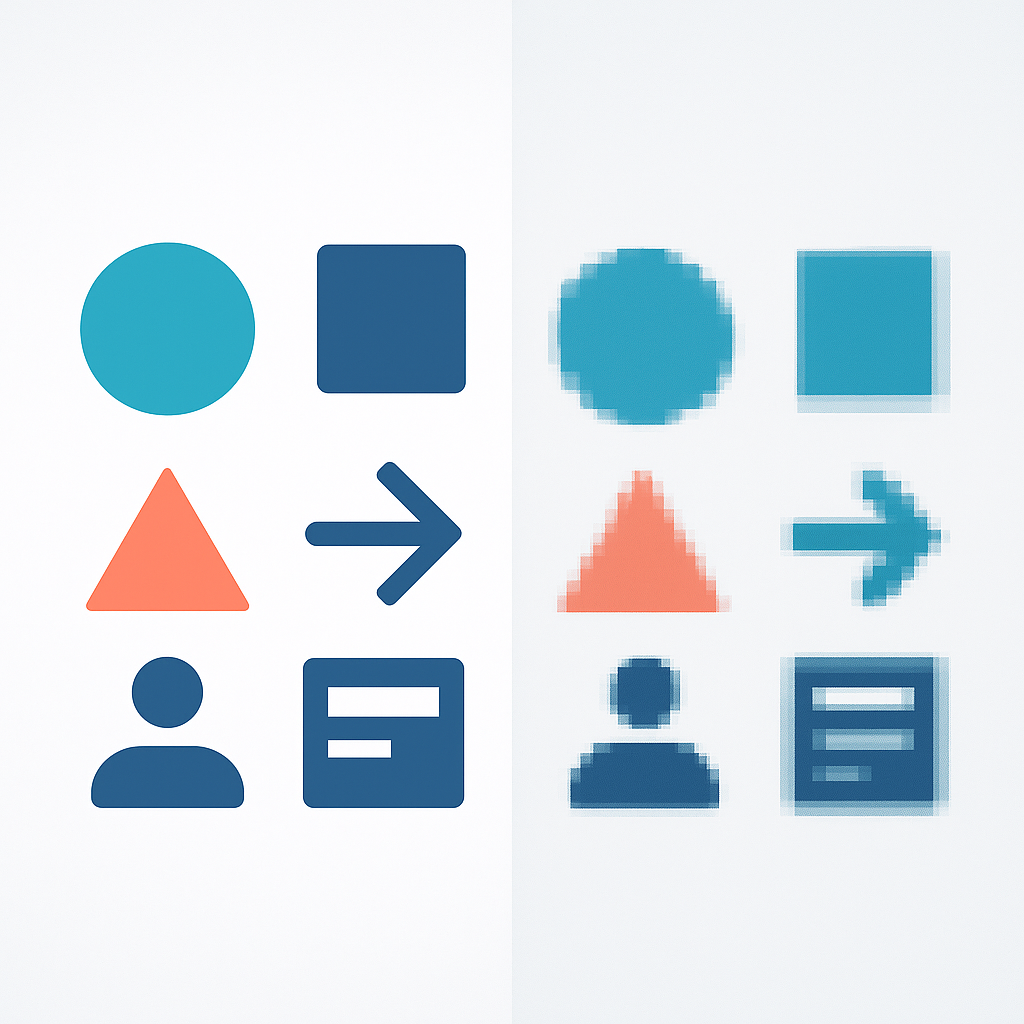
Vector graphics are resolution-independent. This means they are not tied to a specific pixel count. Therefore, they look sharp on any screen or print. Consider a logo for a business card. It also needs to appear on a billboard. A vector logo handles both with ease. Besides, editing vector paths is straightforward. You can easily adjust shapes and colors. This offers great flexibility for designers.
Understanding Raster Graphics
Raster graphics, also known as bitmap graphics, are composed of pixels. Each pixel has a specific color and position. Therefore, they are resolution-dependent. Enlarging raster images too much causes pixelation. This results in a blurry or jagged appearance. Common raster file formats include JPG, PNG, and GIF. These are often used for photographs and web graphics. Adobe Photoshop is a primary tool for raster editing. Moreover, they are excellent for detailed images. They capture subtle color gradients well.
The quality of a raster image depends on its resolution. Higher resolution means more pixels. This allows for larger prints without quality loss. However, high-resolution files can be large. They consume more storage space. Therefore, optimizing raster images for the web is important. This ensures faster loading times. Besides, editing raster images involves manipulating pixels. This can be more complex for certain tasks.
When to Use Each Type of Graphic
The choice between vector vs raster graphics depends on your project. Use vector graphics for logos, icons, and illustrations. Also, use them for anything that needs to be scaled. Think about t-shirt designs or signage. Vectors are the clear winner here. Furthermore, they are ideal for print designs that require sharp lines. You can find amazing vector bundles on GraphicLoot.com. Check out our deals here: GraphicLoot Deals.
Raster graphics are best for photographs. They are also suitable for complex digital paintings. Web graphics that don’t require scaling are good candidates. For example, social media images or website banners. However, ensure they are at the correct resolution. You can also find free raster graphics. Explore our freebies here: GraphicLoot Freebies.
Vector Graphics for Print-on-Demand (POD)
Print-on-demand services often require high-quality artwork. Vector graphics are highly recommended for POD. This is because your designs will be printed on various products. These products can range from t-shirts to mugs. Vectors ensure your designs remain crisp and clear. This is true regardless of the product size. Therefore, using vectors minimizes the risk of blurry prints. Many POD platforms like Etsy and Printful prefer vector files. This is for optimal printing results. Furthermore, you can easily adjust colors for different product types. This offers great versatility. Adobe’s tools are industry standards for vector creation. Wikipedia also offers more on vector graphics. You can learn more there.
In conclusion, understanding vector vs raster graphics is essential. It empowers you to select the right format. This leads to superior design outcomes. Always consider scalability and intended use. This will guide your decision-making process. Happy designing!
Recent Blog Post